Guide
Best Proxies for Bypassing Geo-Restrictions on Streaming Services
Discover the best proxies for bypassing geo-restrictions on streaming services. Unlock Netflix, Hulu, BBC iPlayer & more from anywhere in the world.

Streaming platforms have made geo-restrictions a constant friction point for travelers, expats, and anyone living outside the "right" market. You might be in Tokyo trying to watch a show that only streams in the US, or in the US trying to access BBC iPlayer content that's walled off to UK residents. The mechanism is always the same: the platform checks your IP address, maps it to a location, and either grants or denies access.
Dealing with regional restrictions often prevents users from being able to access geo-blocked content while abroad. Geographic restrictions are enforced to ensure that viewers only see media licensed for their specific area. To bypass geo-restrictions, many users rely on a dedicated proxy server to route their connection.

A proxy solves this by routing your traffic through a server in a permitted region, so the streaming platform sees a local IP address instead of yours. The mechanics are straightforward, but the execution matters enormously. Not every proxy type handles video traffic well, and many providers marketed as "streaming proxies" are actually built for web scraping workloads, not smooth video playback.
This guide separates the practical from the promotional. You'll find a breakdown of which proxy types actually suit streaming, which features to prioritize, which providers are worth comparing, and when skipping proxies altogether in favor of a VPN makes more sense.
What Actually Works for Streaming Access

Streaming platforms use layered detection that goes beyond a simple IP lookup. Getting past geo-blocking consistently requires knowing why these blocks exist, how proxies intercept them, and where Smart DNS or VPNs fit better.
Many people look for a proxy for streaming specifically to bypass geo-blocks on popular platforms. Using proxies for streaming allows you to switch your virtual location with minimal latency.
Why Streaming Platforms Block by Region
Geo-restrictions on streaming services aren't arbitrary. Licensing agreements dictate which markets a studio or broadcaster can legally serve. Regional restrictions apply to various types of digital media. Geographic restrictions help companies manage licensing costs and legal obligations.
Platforms enforce these rules through IP-based geographic filtering. When your request reaches a streaming server, it checks your IP against a database of known geographic ranges. If your IP resolves outside the permitted territory, access is denied.
Understanding how to bypass geo-blocking is crucial for maintaining access to your favorite geo-restricted streaming services. When you bypass geo-restrictions, you gain the freedom to watch content from any part of the world. Without the right tools, you may find yourself locked out of your paid accounts.
Secondary detection layers include DNS leak checks, WebRTC exposure, and increasingly sophisticated datacenter IP blacklists. Platforms like BBC iPlayer actively flag and block known proxy and VPN IP ranges.
How Proxies Work for Location Switching
A proxy server sits between your device and the streaming service. Your connection request goes to the proxy first, then the proxy forwards it to the platform using its own IP address. The platform responds to the proxy, which passes the content back to you.
From the streaming service's perspective, the request originates from the proxy's location, not yours. If that proxy IP is in the US, you appear to be in the US. The key variable is whether that IP address is trusted or flagged.
Residential proxies use IP addresses assigned by real internet service providers to real households. They're significantly harder for platforms to identify and block compared to datacenter IPs, which are often in bulk-registered ranges that detection systems recognize immediately.
When a Proxy Is Better Than a VPN or Smart DNS
For casual streaming access, a VPN is often more practical than a proxy. VPNs encrypt your full connection, route all traffic through a single server, and tend to have dedicated streaming-optimized servers.
A virtual private network connects you to a vpn server that masks your true origin. While a virtual private network is great for privacy, a proxy for streaming can be faster for specific tasks.
A proxy makes more sense when you need to route only specific traffic through a different location, like a single browser tab or a scraping script, without affecting your entire network. Using a proxy server allows for precise control over your connection. You can use proxy servers to test how websites load in different parts of the world.
Smart DNS is faster than both because it only redirects DNS queries without encryption overhead. It works well for bypassing geo-blocks on devices that don't support VPN apps, like smart TVs, but offers no anonymity and fails if platforms check beyond DNS.
Which Proxy Type Fits Your Use Case

The choice between residential, mobile, and datacenter proxies directly affects whether a streaming service grants access or blocks you, and how smooth the video playback actually is. Protocol choice between SOCKS5 and HTTP adds another layer to that decision.
Finding the right proxies for streaming depends on balancing speed and anonymity. Different geo-restricted streaming services may require different levels of IP reputation to function correctly.
Residential Proxies for Harder-to-Detect Access
Residential proxies use IP addresses tied to real ISP-assigned connections. Streaming platforms' detection systems treat these addresses as ordinary household users, making them far less likely to trigger blocks.
The tradeoff is cost and speed variability. Residential proxy IPs are drawn from a rotating pool of real devices, so speeds fluctuate depending on the origin connection. For reliable streaming, look for providers offering sticky sessions that let you hold a single IP for a defined period rather than rotating mid-stream.
FlameProxies offers residential proxies starting at $0.50/GB with a pool of over 80 million IPs. IPRoyal also provides residential IPs that are particularly effective for video streaming because they mimic standard home connections and bypass geo-blocks efficiently.
Mobile Proxies for High-Trust Networks
Mobile proxies route your traffic through IP addresses assigned to mobile carrier networks like AT&T or Verizon. These are among the highest-trust IP types because mobile IPs are shared dynamically across many real users, making individual blocks impractical for platforms.
They're the strongest option for getting past aggressive detection on platforms that have specifically blacklisted residential proxy ranges. The cost is higher than standard residential proxies, and speeds depend on carrier network conditions.
For most personal streaming use cases, mobile proxies are overkill. They become worthwhile when you've already had residential IPs blocked on a specific platform.
Datacenter Proxies for Speed-First Testing
Datacenter proxies are fast and cheap. They come from server infrastructure rather than real ISP connections, which means they're easy to provision in bulk but also easy for streaming platforms to detect and block.
Major platforms like Netflix and Hulu maintain continuously updated blocklists of known datacenter IP ranges. If you're trying to watch a show, a datacenter proxy will likely fail on those platforms. Where datacenter proxies genuinely excel is speed-first testing work: checking whether geo-targeted content exists in a region, verifying page layouts, or running automation that doesn't require a trusted residential proxy ip.
SOCKS5 vs HTTP for Video Traffic
SOCKS5 proxies operate at a lower network level than HTTP proxies. They handle any type of traffic, including video streams, without modifying packet headers. That makes SOCKS5 the right protocol choice for proxy ip use with video streaming applications.
Socks5 proxies are generally preferred over HTTP for handling live streams and high-resolution video. This protocol is efficient at managing the heavy data load required by modern platforms.
HTTP proxies are designed for web traffic specifically and introduce header modifications that can reveal proxy use to detection systems. For browser-based streaming through a web interface, an HTTP proxy might work, but SOCKS5 is more reliable and less detectable. Most quality proxy providers offer SOCKS5 as a standard protocol option.
Features That Matter More Than Marketing

When you're comparing proxy service options, the spec sheets from proxy providers tend to emphasize pool size and location counts. Those numbers matter, but they don't tell the full story about whether a service will actually handle video streaming or your specific workflow reliably.
The primary goal for most users is to access geo-restricted content without constant buffering. This requires a provider with a stable infrastructure and high-speed connections. Choosing a premium proxy server ensures that you have the bandwidth necessary for 4K streaming.
IP Pool Size and Location Options
A large IP pool reduces the chance that any given IP is already flagged by a streaming platform. Providers advertising 10M to 100M+ residential IPs give you more rotation options and lower re-use frequency per IP, which correlates with longer usable lifespan before a block.
Location options matter more specifically than broadly. "195 countries" sounds comprehensive, but what you actually need is sufficient IP depth in specific target markets, not one or two IPs per country. If you need US streaming access, check whether the provider has meaningful coverage across multiple US states and ISPs, not just a handful of IPs labeled "United States."
Sticky Sessions and IP Rotation
Sticky sessions let you maintain the same IP address for a defined window, typically between 1 and 30 minutes depending on the provider. For video streaming, this is essential. If your IP rotates mid-session, the streaming platform sees a connection from a new IP and may invalidate your session or trigger a re-authentication that interrupts playback.
IP rotation is the opposite mode, cycling through IPs per request or on a timer. It's valuable for scraping and data tasks but actively disruptive for video streaming. Confirm that any proxy service you evaluate lets you toggle between sticky and rotating behavior rather than forcing one mode.
Speed, Stability, and High-Speed Connections
Streaming video has a minimum throughput requirement. SD content needs roughly 3-5 Mbps, HD needs 5-25 Mbps, and 4K needs 25 Mbps or more sustained. Residential proxy speeds vary by the origin device's connection, so providers that don't filter for minimum upstream speeds on their source IPs can deliver inconsistent results.
Look for providers that publish realistic speed benchmarks and ideally offer a test period or trial. Marketing language like "high-speed connections" without specific numbers is not useful for evaluating whether a proxy will handle HD playback without buffering.
IP Management and Platform Compatibility
Good IP management tools let you set session durations, target specific countries or cities, and switch IPs without re-authenticating through a dashboard or API. For teams doing content verification across regions, this kind of control is non-negotiable.
Platform compatibility covers how you connect: browser extensions, SOCKS5/HTTP endpoint configuration, authentication via username and password or IP whitelisting, and API access for automated workflows. A premium proxy provider offering only one integration method may not fit your setup even if the IP quality is strong.
Best Providers to Compare in 2026

The proxy market in 2026 is saturated with resellers and rebranded networks. The providers below have distinct positioning, and understanding where each fits helps you avoid paying enterprise prices for a use case that a value-tier provider handles just as well.
Best Premium Networks for Broad Coverage
Bright Data is the largest residential proxy network by IP count, with deep location targeting and a mature dashboard. It's built primarily for enterprise data collection and comes with pricing to match. For streaming access specifically, you're paying for infrastructure that extends well beyond what most streaming use cases require.
Oxylabs similarly targets enterprise scraping and data extraction workflows. Its residential and datacenter networks are extensive and well-maintained. The platform's IP management tools are sophisticated, but the pricing reflects that positioning.
NetNut differentiates with ISP proxies sourced directly from internet service providers rather than peer devices. This gives more consistent speeds than typical residential pools and suits both content verification and streaming.
Best Value Picks for Budget-Conscious Users
FlameProxies starts at $0.50/GB for residential proxies and covers over 80 million IPs. For travelers and expats who need reliable residential IP access to US or UK streaming without committing to enterprise contracts, this pricing tier makes it a practical starting point.
Smartproxy and Decodo (Smartproxy's sub-brand) offer residential and datacenter options with transparent pricing and straightforward onboarding. Smartproxy has earned a solid reputation for reliability at mid-tier price points.
IPRoyal is recognized as a premium proxy provider for its high-speed connections and transparent pricing model. IPRoyal and Webshare both offer lower entry costs and are worth evaluating if your use case is lighter, such as occasional geo-restricted streaming access or basic content checks.
Infatica and Mars Proxies round out the mid-market with residential offerings that target both individual users and small teams.
Best Options for Technical Teams and Automation
SOAX provides strong filtering tools that let you target proxies by country, region, city, and ISP, which makes it well-suited for teams running geo-targeting verification across multiple markets simultaneously.
Bright Data and Oxylabs again appear here because their APIs, proxy manager tools, and integration depth are genuinely designed for automation workflows, including scraper API access, scheduled rotation, and session management at scale.
For teams combining streaming content verification with broader data extraction tasks, the additional cost of these platforms may be justified by the operational control they provide.
Streaming Platforms and Real-World Scenarios

Theory matters less than whether the proxy actually works when you open Hulu from abroad or need to verify a geo-targeted ad before it goes live. These scenarios cover the practical situations you're most likely to be navigating.
Watching Hulu and BBC iPlayer While Traveling
Hulu restricts access to US IP addresses and actively detects known proxy and VPN ranges. To bypass geo-restrictions on this platform, you need a high-quality residential IP. Regional restrictions can be quite strict, often requiring specialized proxy servers.
BBC iPlayer requires a UK IP and has increasingly aggressive detection against non-residential IPs. A UK residential proxy from a provider with genuine ISP coverage, not a thin UK node bolted onto a primarily US-focused network, is what works here. You'll also need to ensure your DNS requests route through the proxy to avoid leaking your real location.
For both platforms, sticky sessions of at least 10 minutes are necessary to avoid playback interruptions from mid-session IP changes.
Testing Geo-Targeting and Content Verification
If your team is verifying that a geo-targeted ad or landing page serves the right content in specific markets, proxy infrastructure is the standard tool for this work. You need IPs in precise locations, clean rotation between requests, and the ability to test multiple regions simultaneously.
This is where providers like SOAX, Oxylabs, and Bright Data are genuinely purpose-built. The geo-targeting precision, API control, and IP pool depth they offer translate directly to reliable content verification at scale.
Using Proxies for Web Scraping and Data Extraction
Many residential proxy providers are primarily optimized for web scraping and data extraction rather than streaming. This is worth stating plainly: if a provider's documentation focuses heavily on scraper API features and request-per-second throughput rather than session stability and streaming speeds, their network may perform inconsistently for video playback even if the IP quality is good on paper.
For scraping use cases, rotating datacenter or residential proxies with high concurrency are the right fit. For streaming, the same provider may require testing before you commit, since the optimization priorities differ.
Privacy, Limits, and Safer Alternatives
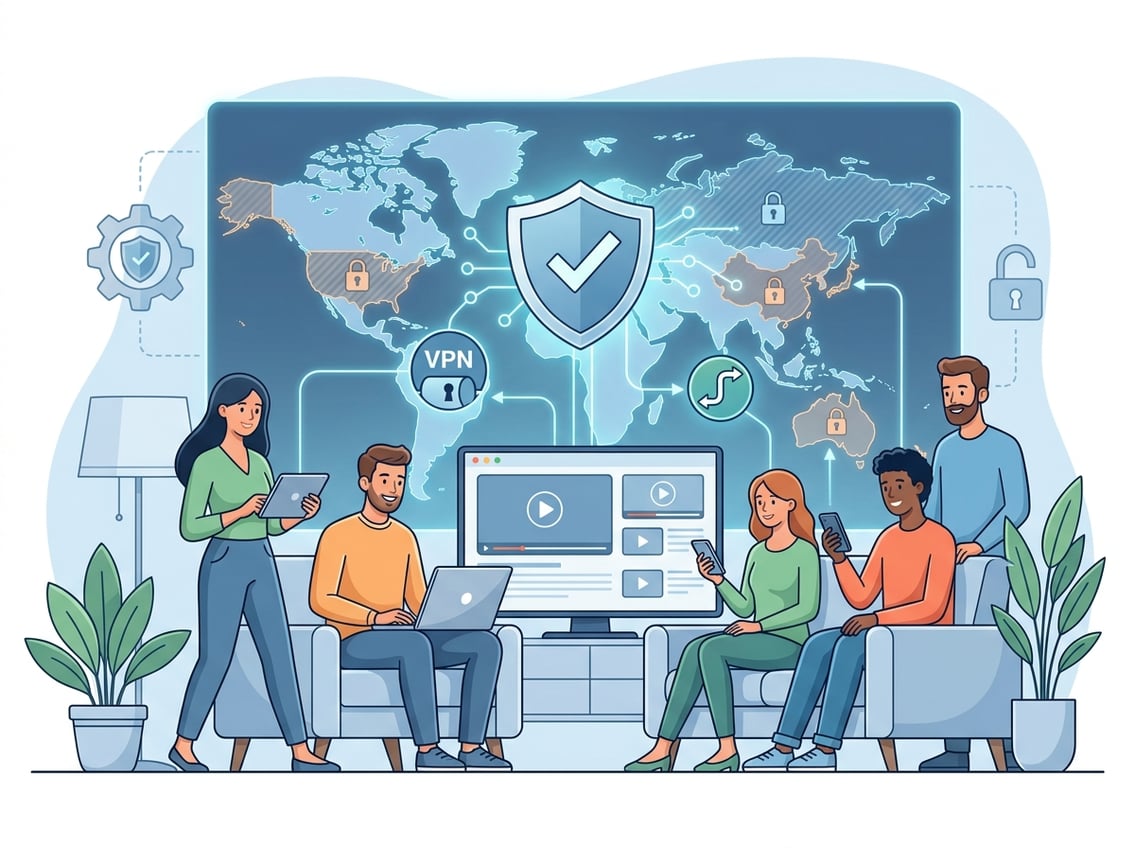
Proxies are functional tools, but they come with privacy limits that are worth naming directly. The choice between a free proxy, a paid proxy, and a best VPN depends on what you're protecting and what you're willing to pay.
If your main goal is to bypass geo-restrictions, you must weigh the security features of each tool. Some users prioritize privacy, while others just want to access geo-blocked content.
Why Free Proxy Services Are Risky
Free proxies rarely make sense for streaming or for anything involving sensitive activity. The business model is unclear at best. Many free proxy services log traffic, inject ads, or resell user data to offset operating costs.
Speed and reliability are the other issues. Free proxies typically run on overloaded servers with high latency, low bandwidth caps, and no session stability. For streaming, that means constant buffering, disconnections, and frequent IP blocks.
The privacy claim of "anonymous browsing" attached to free proxies is also misleading. A proxy server hides your IP from the destination site but not from the proxy operator. If that operator logs traffic, your activity is visible to them. Most free proxy servers are unable to overcome geographic restrictions effectively.
When a VPN Is the Smarter Choice
For individual users who primarily want to unblock streaming while traveling, a VPN is usually simpler and more reliable than configuring a proxy. A VPN handles encryption, DNS leak protection, and kill switch functionality in a single application that's easier to manage than manual proxy configuration.
VPNs also encrypt your full connection, adding a layer of digital privacy that proxies don't provide by default. If your concern extends beyond geo-restricted content to general anonymity and security on public networks, a VPN addresses both.
Comparing NordVPN, ExpressVPN, Surfshark, and CyberGhost
NordVPN is a consistently strong performer for streaming, with dedicated servers optimized for specific platforms and a large server network covering most major markets. Its proxy service also gives technically inclined users additional flexibility.
ExpressVPN has historically been the benchmark for streaming reliability, particularly on platforms with aggressive detection. Speed consistency and platform support are its strongest points, though pricing is higher than most competitors.
Surfshark allows unlimited simultaneous connections, making it practical for households or small teams where multiple devices need access. Performance for streaming has improved significantly and it competes effectively at a lower price point.
CyberGhost offers a more consumer-friendly interface with streaming-specific server profiles labeled by platform and country. It's a reasonable choice if you want a straightforward setup without configuring servers manually.
For users who need both proxy-level IP control for business tasks and reliable personal streaming access, running a VPN alongside a separate proxy service for work tasks is a practical split rather than trying to find one product that does both equally well.